Audit confirmations, without the administrative headache.
Prepare, send, track and follow up onbank confirmations, legal letters, partner capital confirms, receivable confirmations, investment confirmationsfrom one organized workflow.
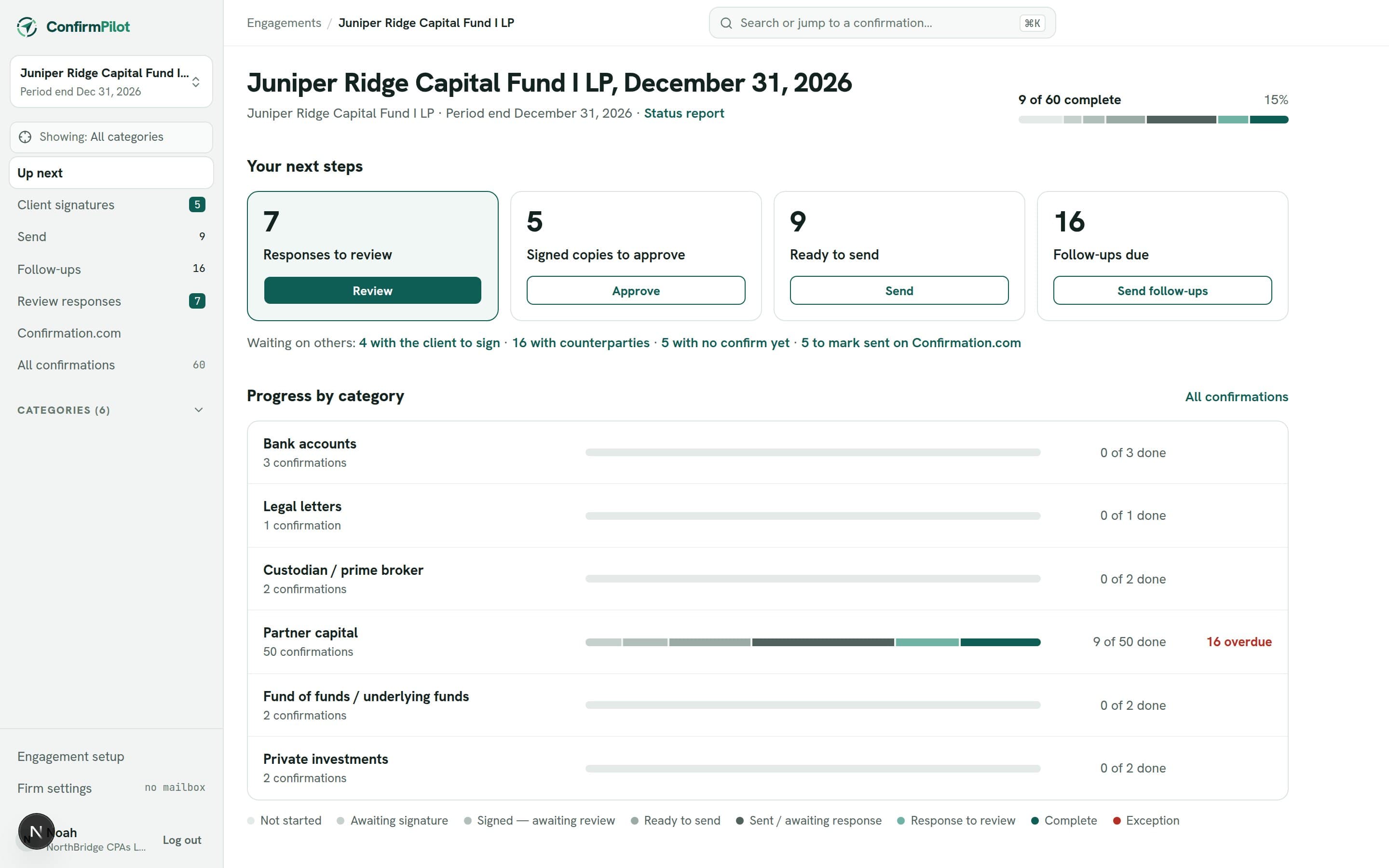
Confirmations shouldn’t require this much administration.
Confirmations are a small part of the audit, but the work around them is spread across email threads, shared folders and a tracking spreadsheet. ConfirmPilot keeps it in one place.
- Audit teams often spend their time:
- Preparing repetitive confirmation emails
- Managing confirmation documents and recipient information
- Tracking client signatures
- Recording when confirmations were sent
- Monitoring outstanding responses
- Sending follow-up emails
- Updating spreadsheets with confirmation status
From preparation to the last follow-up.
The same steps your team already follows, in one place.
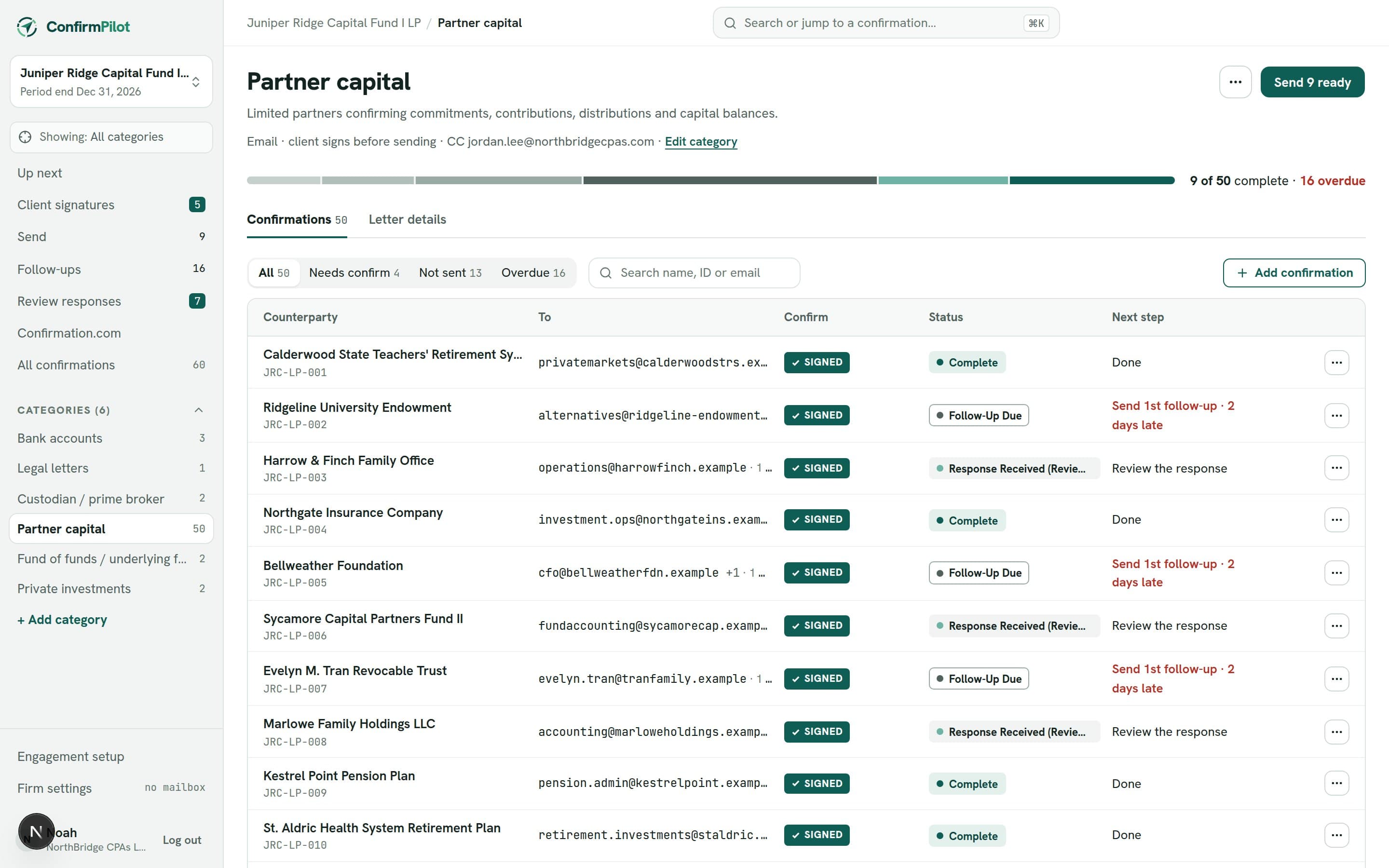
Prepare
Choose the engagement’s categories and add each counterparty with their email addresses. Upload each confirm, or generate it from the category’s letter template with each recipient’s details.
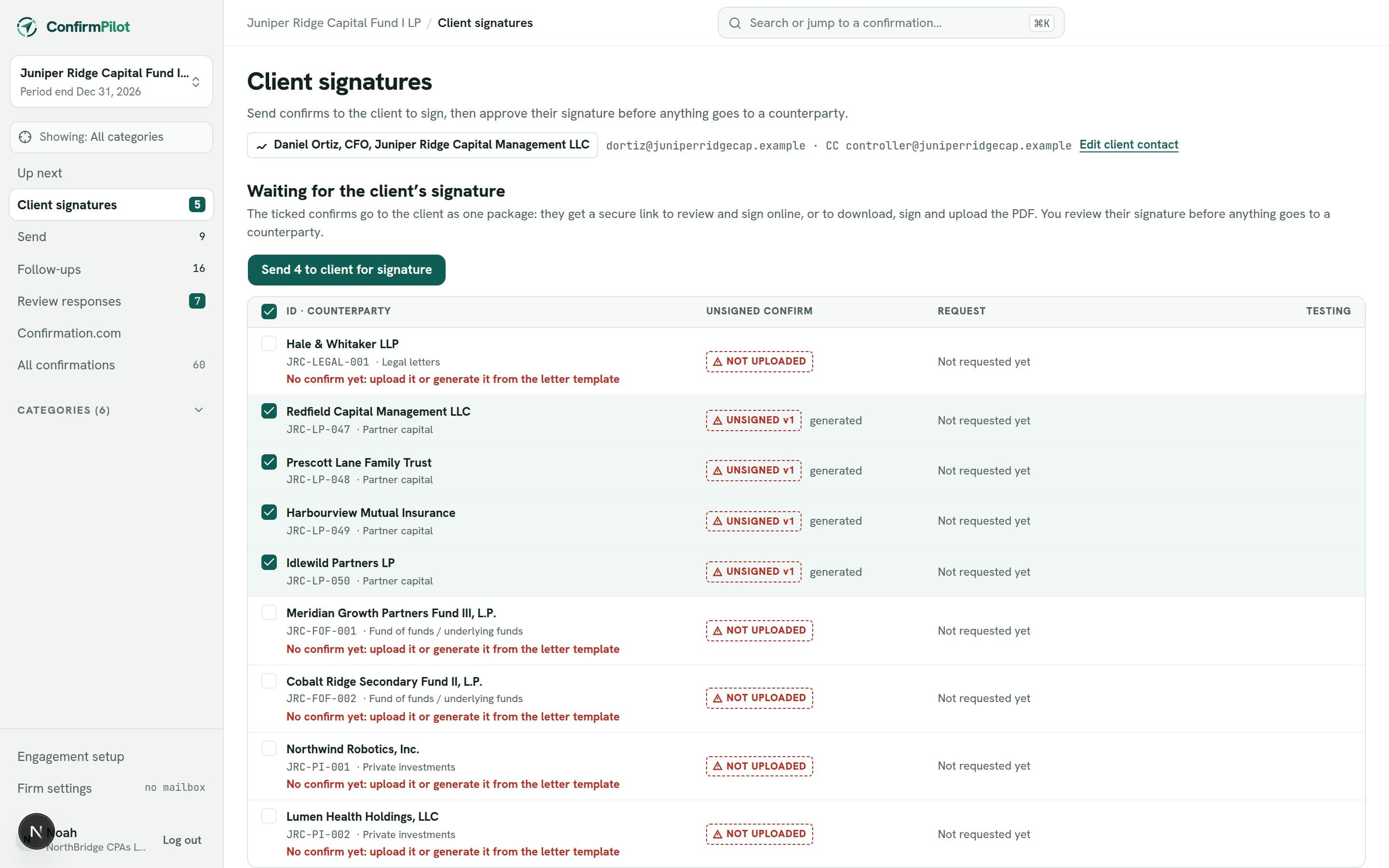
Get client approval
Confirms that need the client’s signature wait in their own list. Send them to sign one by one, or combine them into one PDF so the client signs a single file; signed letters are sorted back for you to approve.
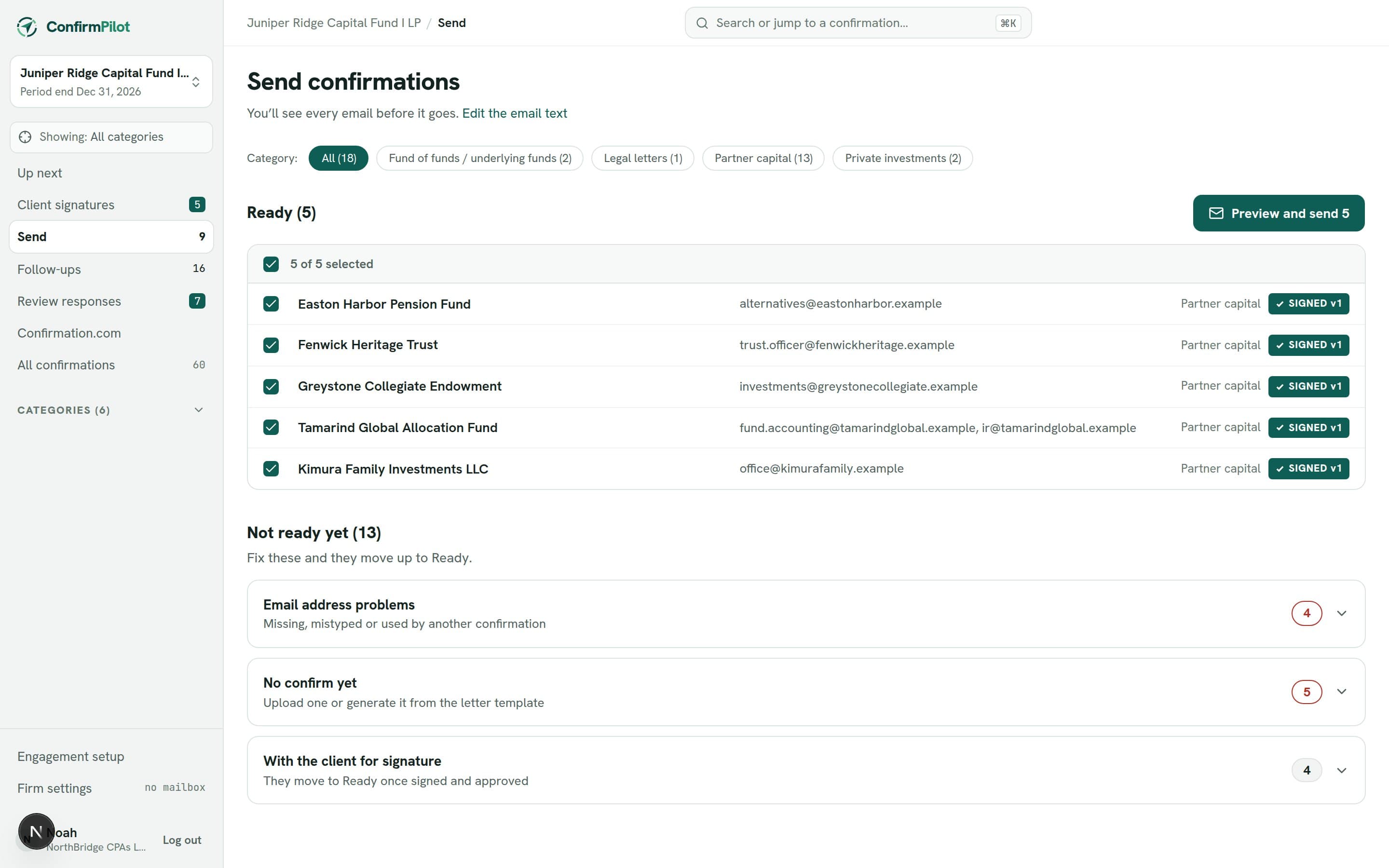
Review & send
Everything ready to go is listed with its recipients and attachment. Problems such as a missing address or an unsigned confirm are flagged before anything is sent. Preview the emails, then send the batch.
Track
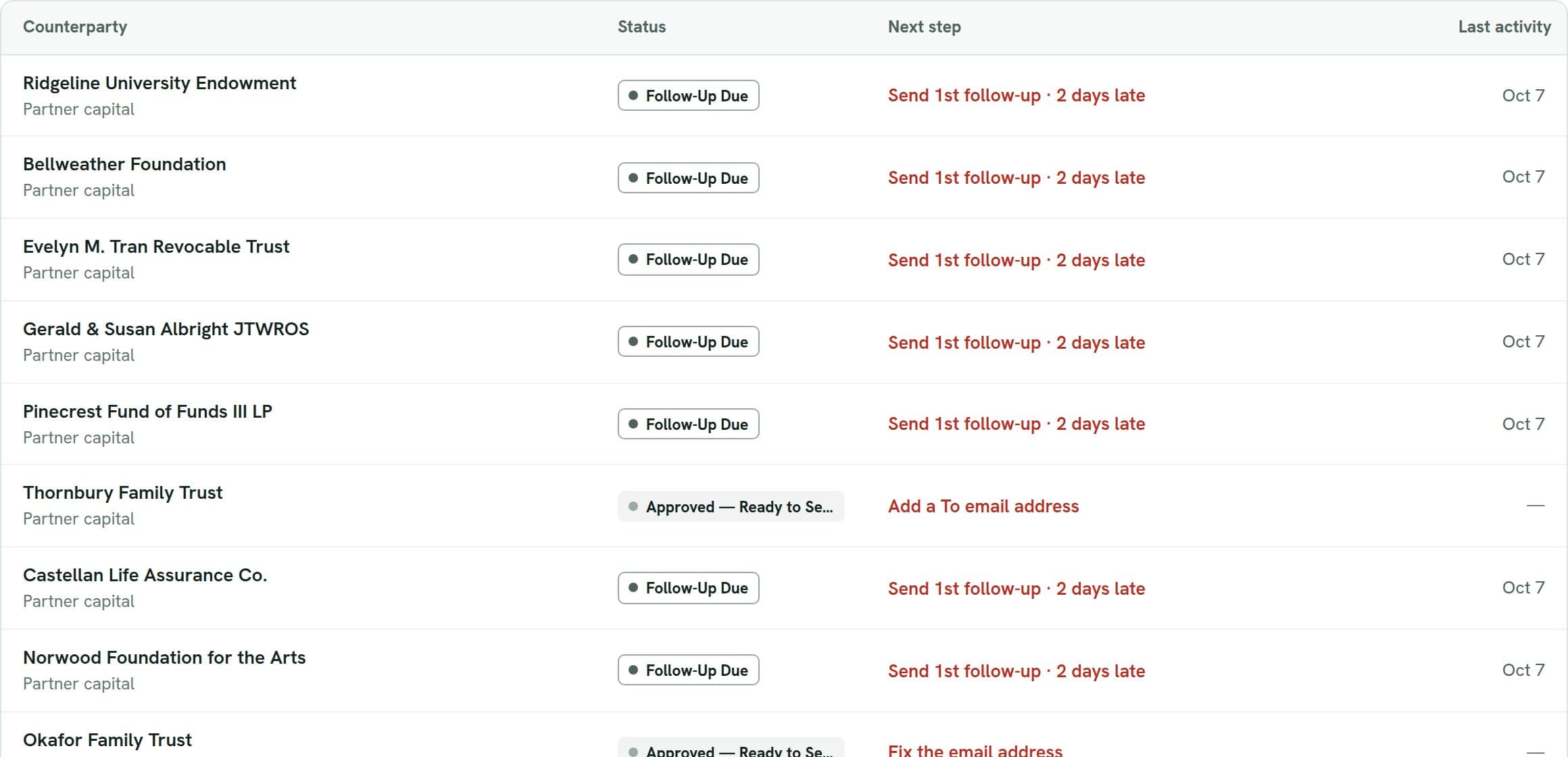
Status, date sent, days outstanding and the response date are kept up to date as the work happens. Responses are matched to their confirmation and wait for review.
Follow up
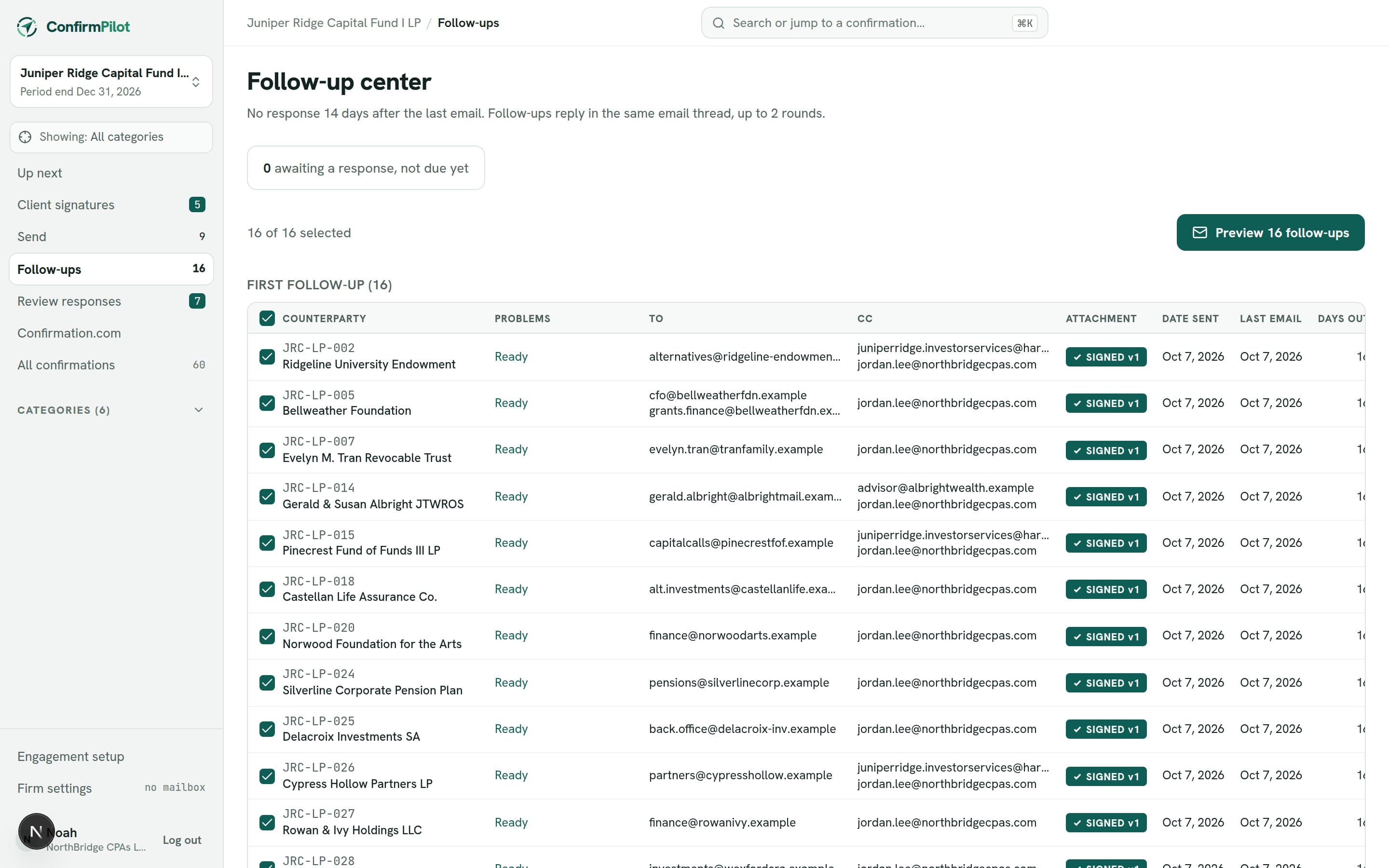
When a follow-up is due, it’s listed for you. Follow-ups reply in the original email thread, and the count and next follow-up date update on their own.
Every response, reviewed next to what you sent.
Replies are matched to their confirmation and wait in a review queue. Compare each one with the confirm you sent, then mark it complete, record an exception, or ask for another follow-up.
Take a closer look at the product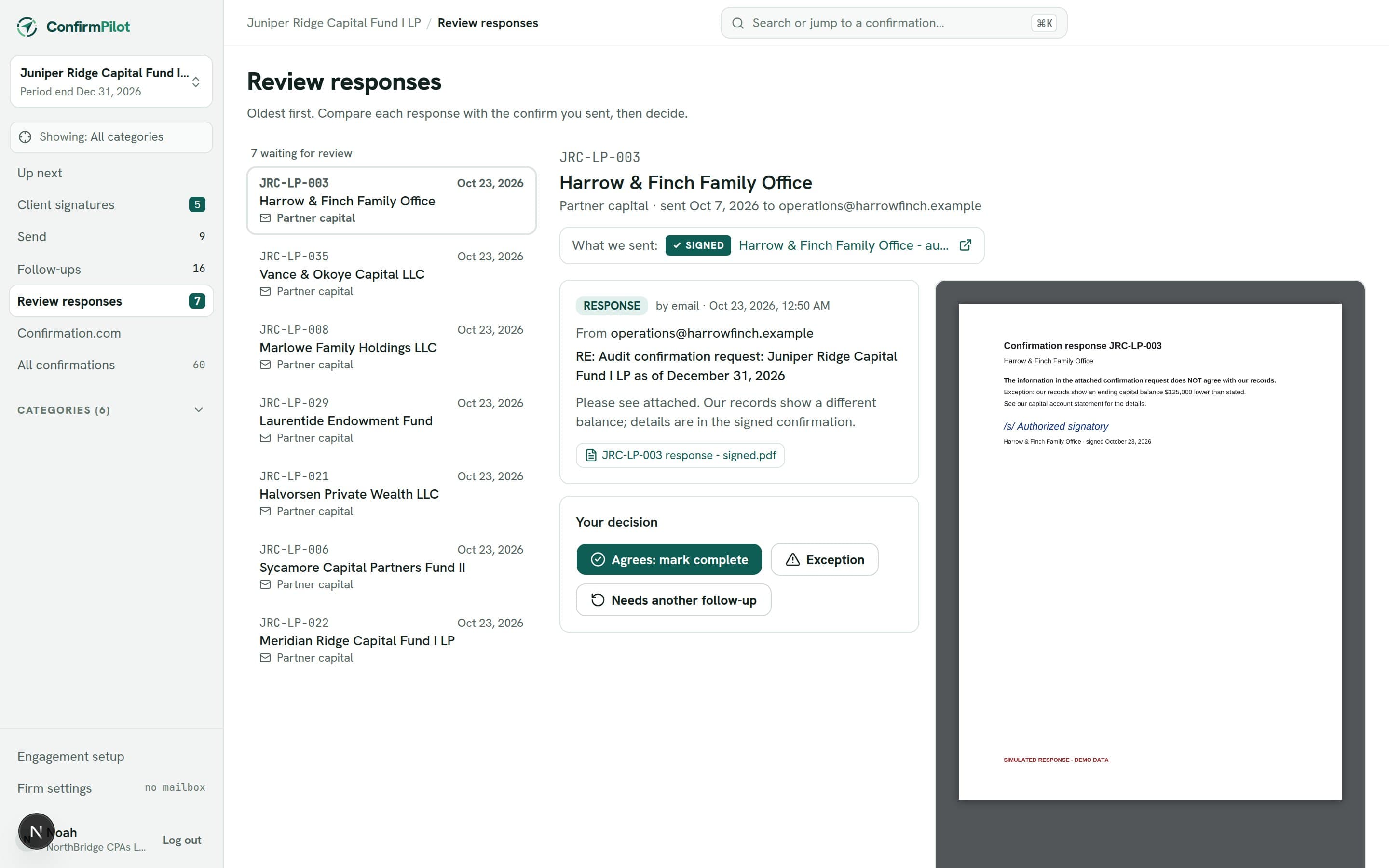
Confirm letters from templates
Standard wording per category, each recipient’s details filled in, one PDF per counterparty.
One PDF for the client to sign
Combine dozens of confirms into a signing packet; the signed PDF is split back by counterparty.
Signed and unsigned never confused
A confirm that needs a signature can’t be sent until a signed copy is approved.
Focus on one kind at a time
Show only partner capital, or only investments, on every page of the engagement.
A record of who did what
Every upload, send, follow-up, response and review decision is logged with the person and date.
Confirmation.com alongside
Confirmations sent through Confirmation.com are tracked in the same list as the rest.
Follow-ups on your schedule
Choose how often to follow up, then let ConfirmPilot send them each weekday at your hour, or schedule a send for later.
Next year in a click
Start next year’s engagement from this one: categories, letters, counterparties and emails, ready to fill in.
Signed copies in your inbox
When the client signs, the signed letters arrive in your Outlook as an attachment, ready to review.
See it with your own confirmations.
A live walkthrough of the workflow, using an example engagement.